


Device Compatibility Check
Important Note Before Purchase
Please ensure your phone supports eSIM before buying. YourSim is not responsible and will not offer refunds for devices that do not support eSIM, including:
- Phones with dual physical SIM slots that do not support eSIM.
- Carrier-locked (network-locked) phones.
- Certain phone models purchased in specific countries/regions.
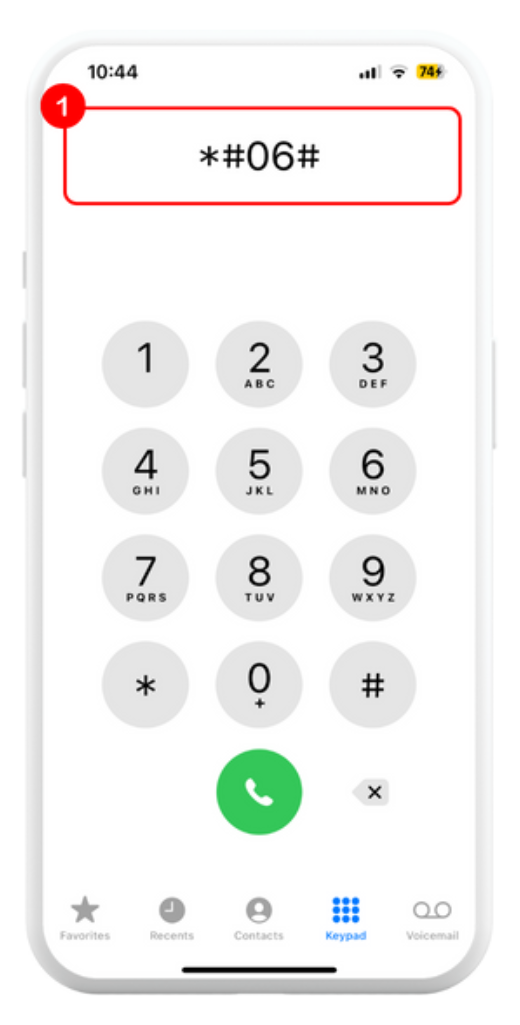
Open the Phone app > and dial: *#06#
A screen will pop up displaying various identification numbers
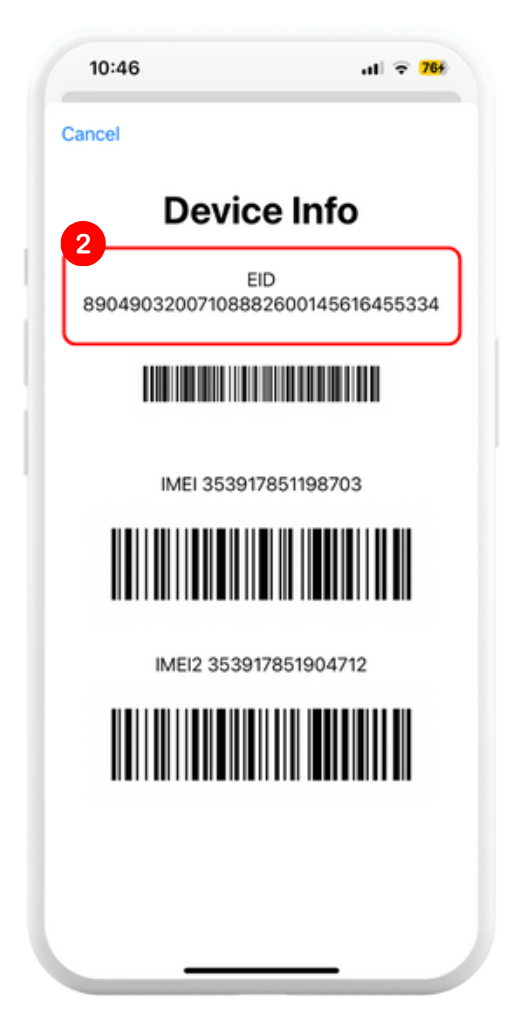
Look for EID.
If you see an EID, your phone supports eSIM.
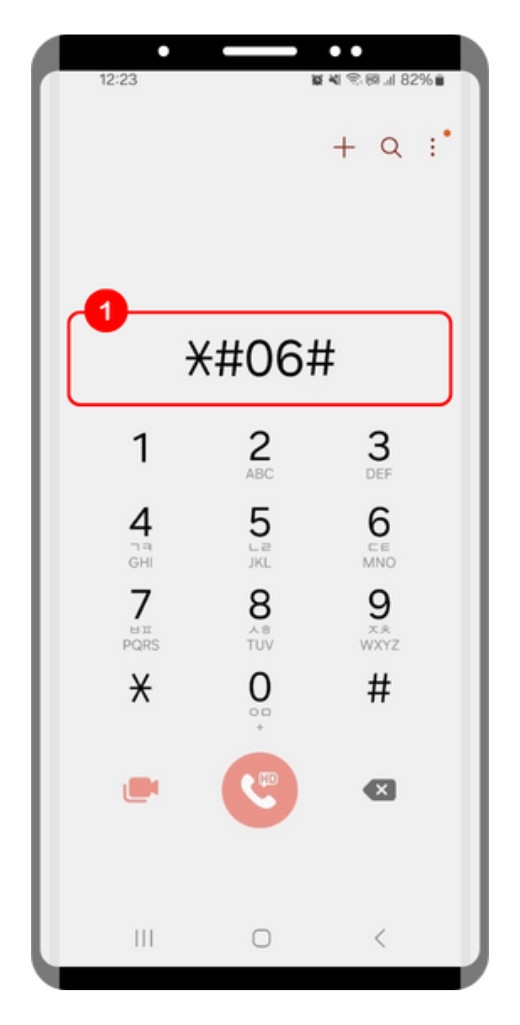
Open the Phone app > and dial: *#06#
A screen will pop up displaying various identification numbers
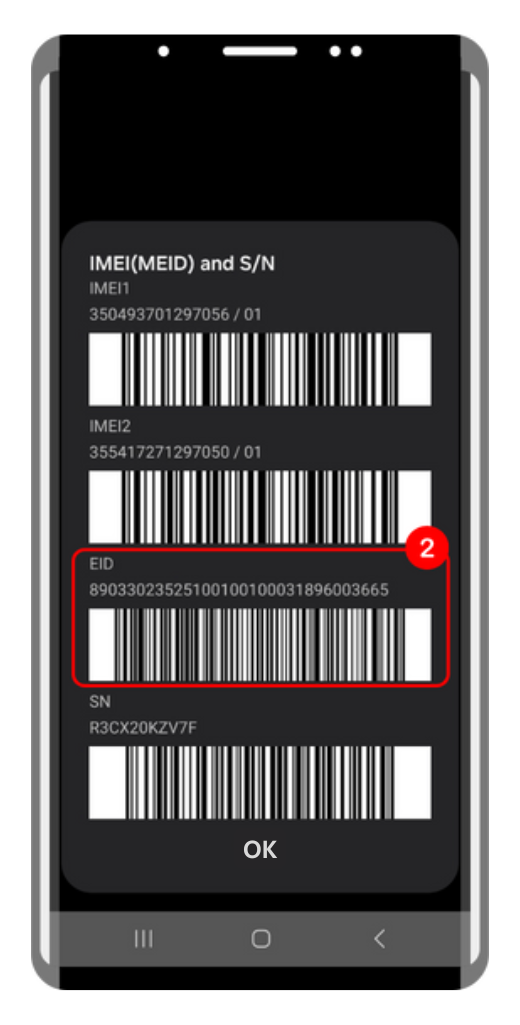
Look for EID.
If you see an EID, your phone supports eSIM.
Installing eSIM on Your Device
- Update Your OS: Ensure your device is updated to the latest available OS version (iOS or Android).
- eSIM Activation: Each QR code can only be scanned once on a single device and cannot be transferred. After scanning, it may display "Activating" — don't worry, it will automatically connect once you arrive at your destination.
- Do NOT Delete the eSIM: Once removed, the eSIM cannot be re-installed. Please ensure you do not delete your plan.
- Pre-departure Setup: If you install your eSIM before flying, keep the eSIM line turned OFF after setup to avoid accidental data use. Turn it ON only when you arrive at your destination.
- Turn On Data Roaming: Upon arrival, make sure to turn ON Data Roaming for the eSIM to access the internet.
- Validity Period: Your plan's duration starts counting from the moment you first connect to the network at your destination and is calculated by calendar days.
- Customer Support: If you face any issues during setup or usage, please contact our support team or hotline immediately for assistance.
- Activation Expiry: The eSIM QR code is valid for 30 days from the date of purchase. It cannot be extended, so please install and use it within this period.